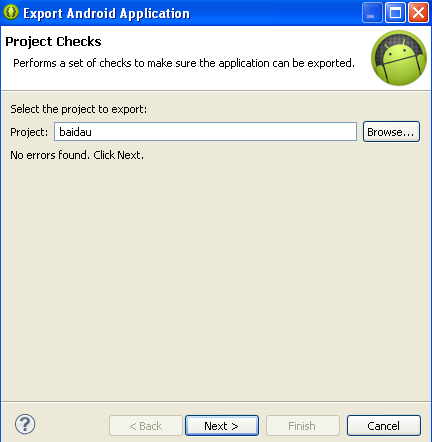
After
you login, Developer Console screen open.

Press + Create application. On pop up
window, choose Language, title name for
app. Create.

Choose
Manage Releases, Manage Production.

Choose Create
release, screen will look
like this.

Click
to Upload Apk, brow to your apk file.

Continue
fill to RELEASE NAME –version
name the same with your app version.
Scroll
up and press Save, Review to check
information.
Go
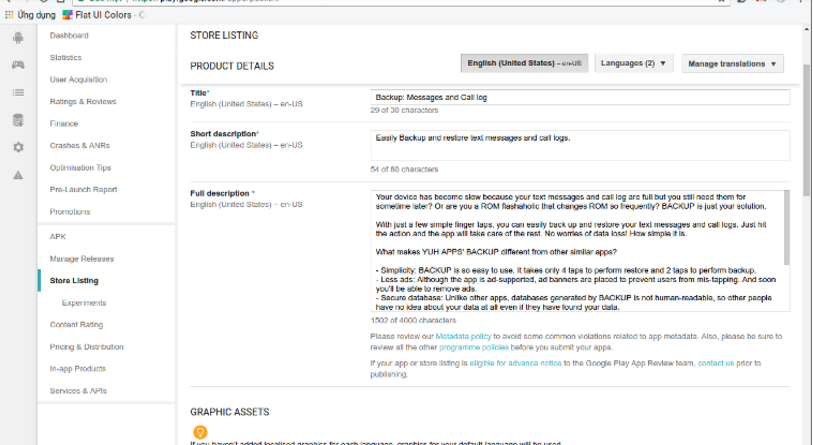
to Store Listing, we have to fill all items with star mark (
* ).
In
full description, you should repeat important keyword three times. For example,
app about weather, the word weather repeat three times.
Hi res icon dimension 512 * 512, it must be exactly the same with your
app icon.
Feature graphic dimension 1024 * 500, it is a graphic picture for
decorate purpose. We can use online picture resize to make it.
Categorisation, App
type, choose Applications or Games. Choose Category, age limit
if need. Privacy policy,
tick to “Not submitting a privacy policy
URL at current time”. Scroll up and click Save
draft.
Go to Content rating. Scroll down and click to
wrench symbol if app not game, fill email andress. Mark to relatation content. Choose Yes, or No. Press Calculate rating,
apply rating. And Save draft.

Go
to, Pricing and distribution: Choose free
or price for app. A free app can’t change to charge app.
Free
app can use in-app billing, in-app payment.
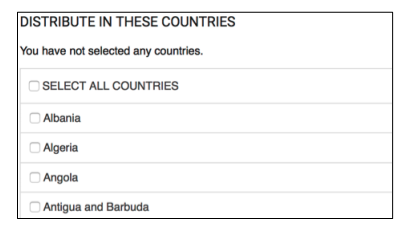
Distribution
choose Select all country.

If
app has advertisement, choose containt ads, Save draft.
Back
to Manage Releases. Check if all content
parts in left panel have mark green, click Start roll out, the Publish app show in bold text, click to
it and you are done now.